
Power Platform
& Dynamics 365
A selection of real-world projects built with the Microsoft Power Platform — covering automation, model-driven customization, analytics, and external portals.
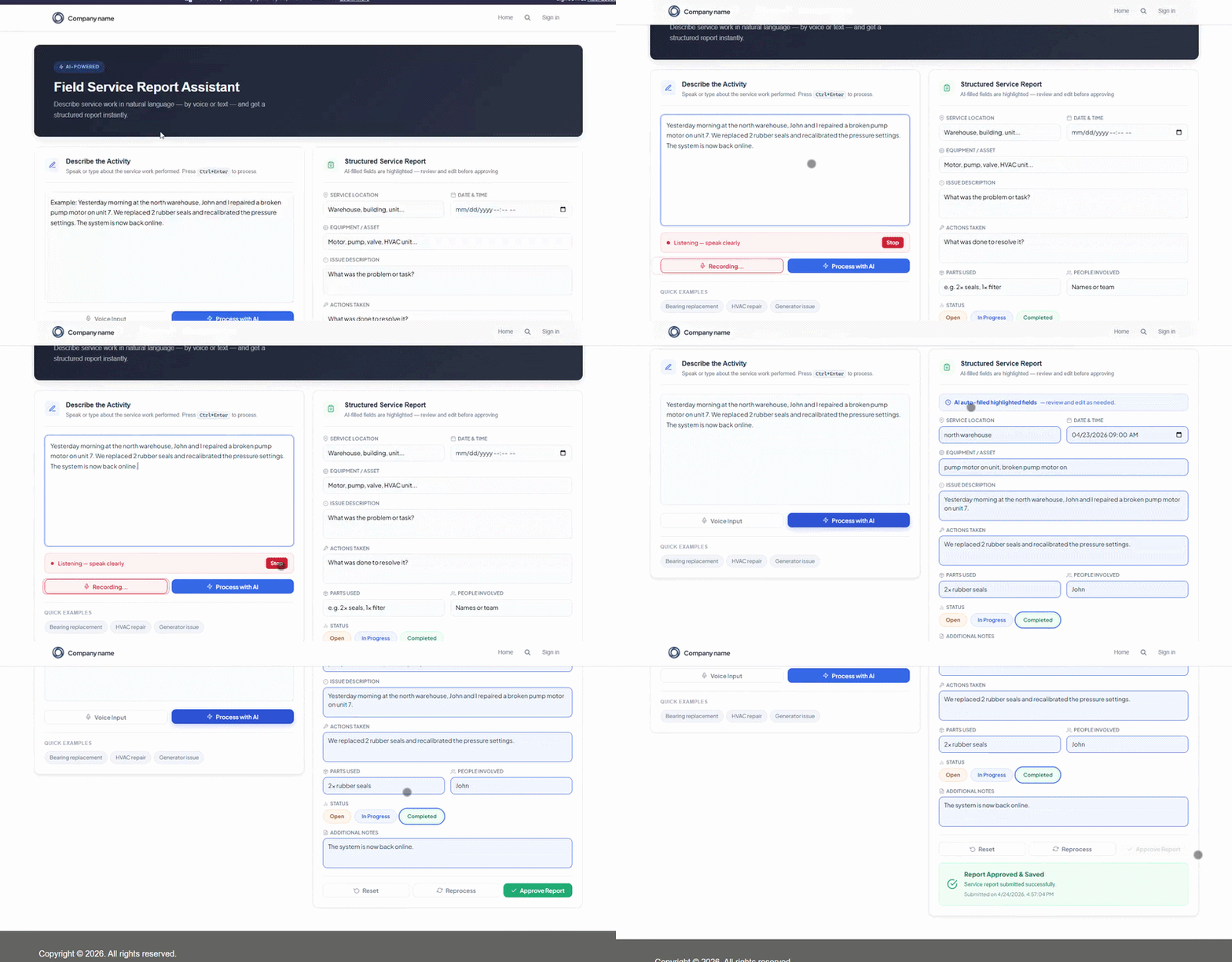
Field Service Report Assistant
Power Pages portal that lets field technicians file service reports using free-text or voice input. Azure Speech transcribes audio in real time, and an NLP pipeline extracts key entities — equipment, fault code, technician, location — to auto-populate a metadata-driven form built with Liquid templates, eliminating manual data entry in the field.
- Voice-to-text via Azure Speech SDK in the browser
- NLP entity extraction to map speech into form fields
- Metadata-driven form architecture with Liquid templates
- Zero manual entry — full report populated from one utterance
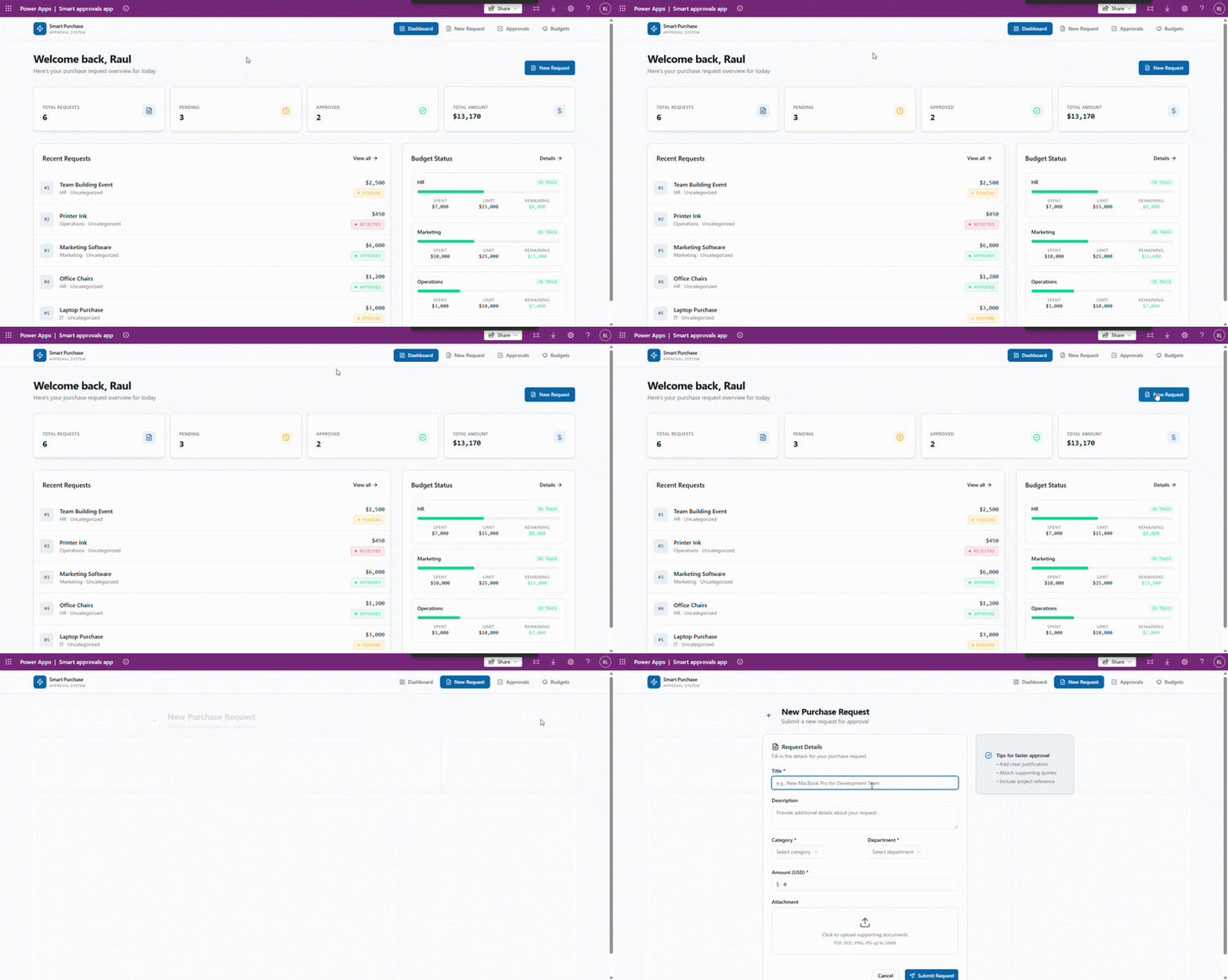
Smart Approved
Internal approval system built with Power Apps code apps, using Vue and TypeScript. Enables structured approval workflows with real-time status tracking, approver assignment, and full audit trail — all embedded natively inside a Model-Driven App.
- Power Apps code component with Vue + TypeScript
- Multi-step approval workflow engine
- Real-time status tracking per request
- Approver assignment with audit trail
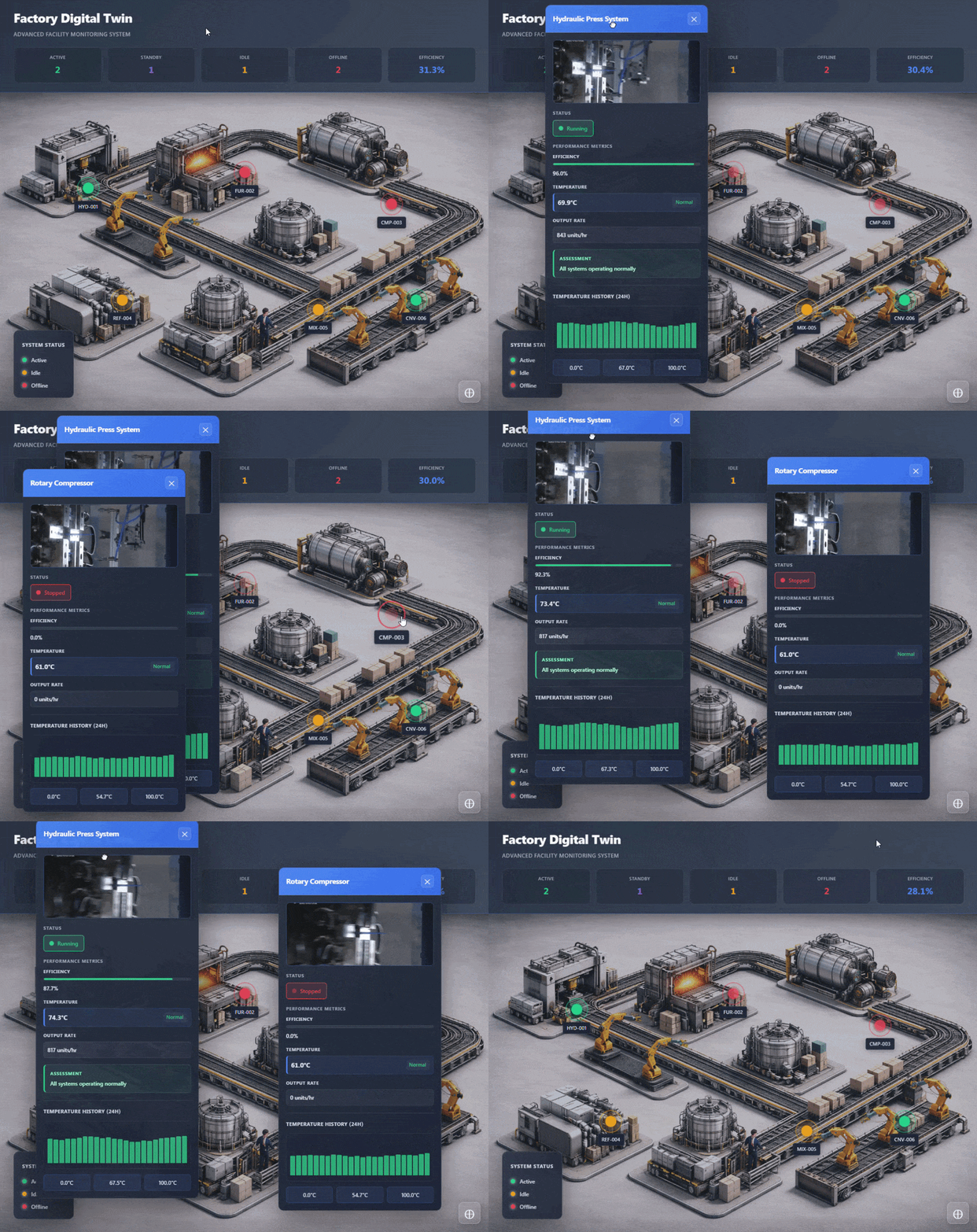
Factory Digital Twin
Machine monitoring system built as a Power Apps code apps with Vue 3 and TypeScript. Renders a live digital twin of the factory floor — displaying real-time machine status, OEE metrics, and predictive maintenance alerts in an interactive visual interface.
- Power Apps code component with Vue 3 + TypeScript
- Real-time machine status visualization
- OEE & production efficiency metrics
- Predictive maintenance alert system


Reservation Notification Flow
Automated flow triggered whenever a new row is created in the Reservation table. Fetches the related product record, sends a formatted Teams chat message via Workflows connector, and dispatches a notification e-mail — all in a single cloud flow without manual intervention.
- Dataverse trigger on row creation
- Get Product by ID lookup step
- Teams chat message via Workflows connector
- Dynamic e-mail with formatted body


Third-Party API Integration
Cloud flow that consumes an external REST API via the HTTP action, parses the JSON response with a dynamic schema, iterates through the returned data with Apply-to-each, and creates Account records in Dataverse — demonstrating low-code API integration at scale.
- HTTP GET action with dynamic URI
- Parse JSON schema generation
- Apply-to-each loop over API data
- Bulk Dataverse record creation


Face Recognition App
Canvas app integrated with the Azure Face API that identifies users through the device camera. The AI model was pre-trained with reference images, enabling real-time person identification and a personalized welcome screen displayed on successful match.
- Live camera control in Canvas
- Azure Face API custom connector
- Pre-trained person-group model
- Personalized welcome on identification


Model-Driven JS Customizations
JavaScript web resources adding real-time business rules to a Model-Driven reservation form. Validates product availability via Xrm.WebApi before allowing selection, and blocks weekend dates — both with inline field notifications that guide the user without requiring a save attempt.
- OnChange handlers with addOnChange
- Weekend date validation logic
- Async Xrm.WebApi.retrieveRecord call
- Field-level setNotification / clearNotification
Dynamics.Methods = {
  CheckWeekend: function () {
    var date = formContext
      .getAttribute("sample_reservationstart")
      .getValue();
    if (date?.getDay() === 0 || date?.getDay() === 6) {
      formContext.getControl("sample_reservationstart")
        .setNotification("Weekend is not allowed", "IdWeekend");
    }
  },
  CheckItemAvailable: async function () {
    var productId = formContext
      .getAttribute("sample_productreservationid")
      .getValue();
    var result = await Xrm.WebApi
      .retrieveRecord("sample_product", productId[0].id,
                      "?$select=sample_available");
    if (result.sample_available <= 0) {
      formContext.getControl("sample_productreservationid")
        .setNotification("Item is not available", "IdAvailable");
    }
  }
};
Reservation Dashboard
Interactive Power BI dashboard giving a 360° view of product reservations and reviews: KPI cards for profit, units reserved, and cost; reservation counts broken down by quarter and category; monthly trend bar chart; and average star ratings per product.
- KPI cards — profit 21K, 11 units, R$1.9K cost
- Reservation count by quarter and category
- Monthly reservation trend visual
- Average rating per product table (3.42 avg)


E-Commerce Portal
External-facing Power Pages portal that lets authenticated users browse a product catalogue filtered by category, add items to an order, and submit via a multi-step form — all connected live to Dataverse with no custom backend required.
- Product gallery with category filter
- Add-to-order flow from portal UI
- Multi-column order form with subgrid
- Order list view for existing orders


Power Platform Community Articles
Technical articles published on LinkedIn to share knowledge with the Power Platform developer community — covering advanced topics like Liquid templating in Power Pages, Word document automation, HTML & CSS in Power Apps, and cloud flow best practices.
- Power Pages — Liquid & FetchXML dynamic cards
- Creating Word documents with Power Automate
- HTML & CSS components inside Power Apps
- Power Automate best practices for maintainability
Interested in working together on a Power Platform project?
Get in touch →